Configuration
btmux reads one TOML file, created on first launch:
~/.config/btmux/config.tomlIt follows $XDG_CONFIG_HOME; on Windows it is %APPDATA%\btmux\config.toml.
Every field is optional. btmux generate-config prints them all with their
defaults, as does All options.
prefix = "C-b"editor = "pane"
[terminal]font-family = "JetBrains Mono"font-size = 16
Changes apply live
Section titled “Changes apply live”Saving updates every connected client. Log levels apply at server startup,
[vscode] server when VS Code starts, and most of [multipass] when btmux
creates the VM.
If the file can’t be parsed, btmux keeps the last valid configuration and shows a banner until it is fixed. The banner’s Show error button opens the full message.
Settings
Section titled “Settings”Press <prefix> + : and choose config: open settings for live previews.
Apply changes the running server until it restarts or reloads
config.toml. Save edits the file and preserves comments and other
settings. Show TOML shows the file Save would write, to copy when the
file is read-only. Switch it to Home Manager for the same settings as Nix,
to replace your
programs.btmux.settings.
To find a setting, type its name: the search field above the tabs lists
matches from every tab.
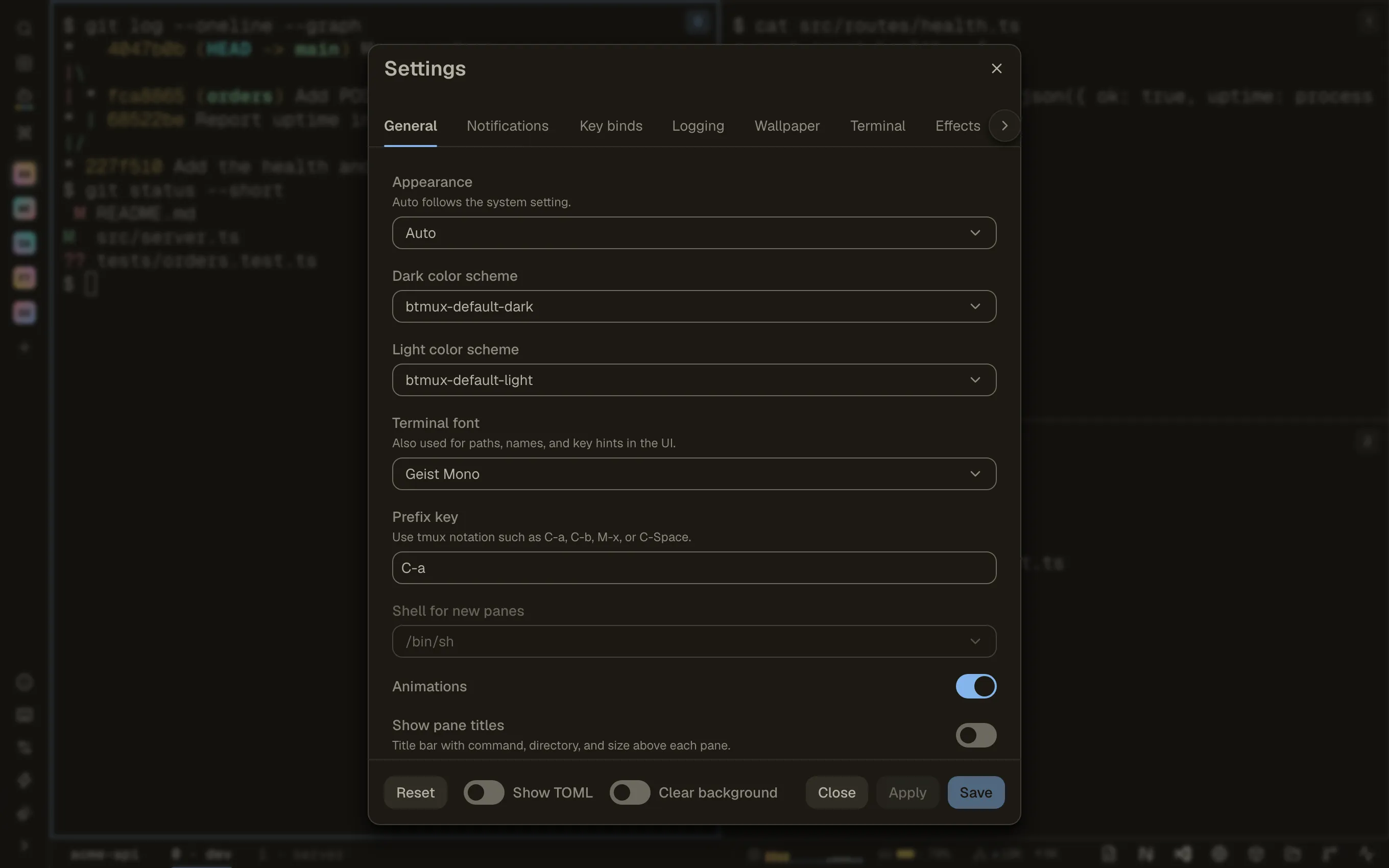
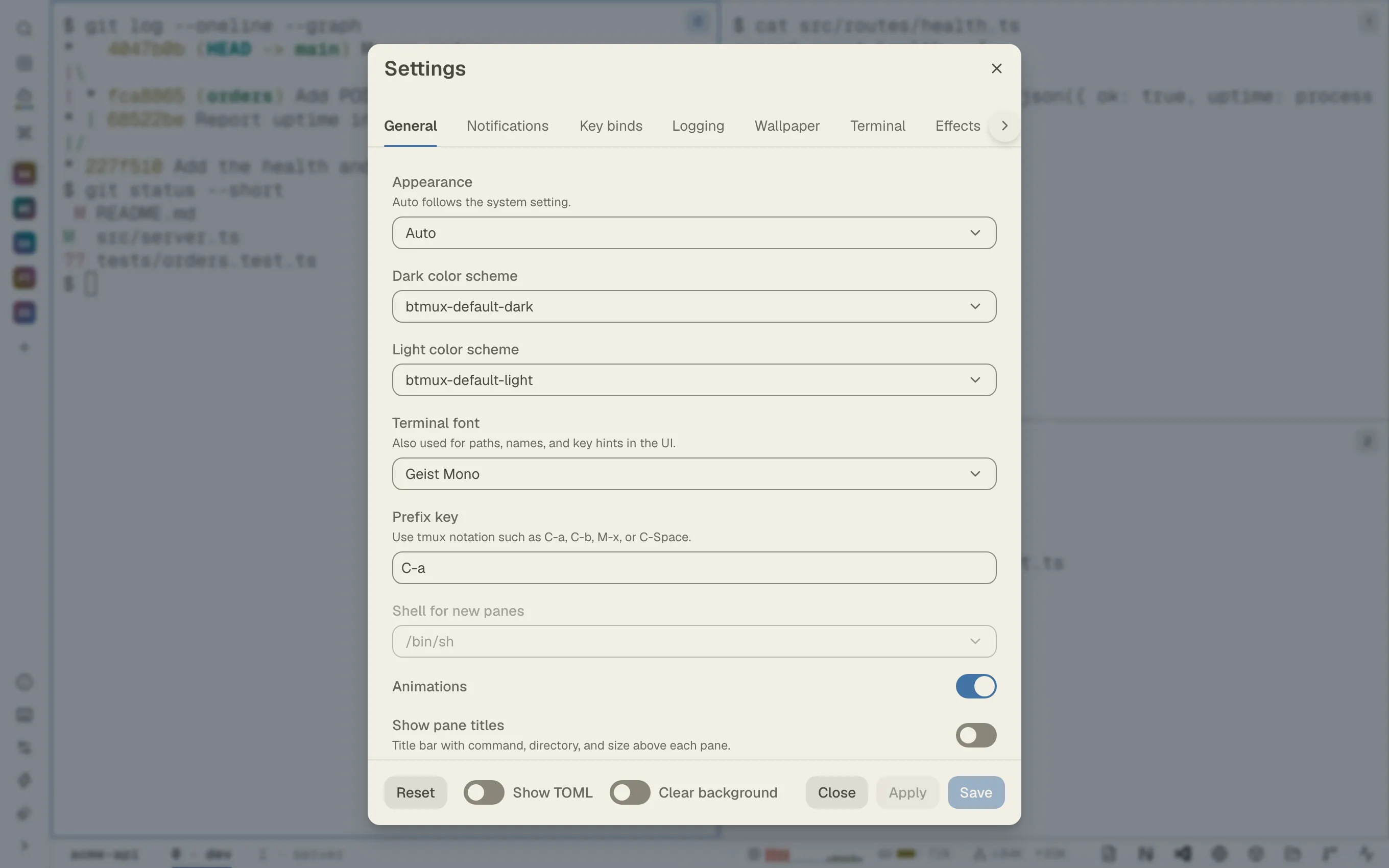
The command palette’s color and font pickers work like Apply.
Updates
Section titled “Updates”btmux checks GitHub about once a day and shows a toast when an update is
available. See Upgrading. Set
check-for-updates = false to disable checks.
Where things are set
Section titled “Where things are set”| To change | See |
|---|---|
| The prefix and key bindings | Key bindings |
| Colors, fonts, wallpapers | Appearance |
What <prefix> + e opens |
Editors |
| The sandbox VM | Sandboxed sessions |
| Notifications | Coding agents |
| Separate servers and saved state | Profiles |
| Server flags and every command | All commands |